Looking for an Interview Sidekick Alternative? Here's why engineers are switching to PhantomCode.
Interview Sidekick is the newest real-time interview AI on tech Twitter — clean interface, viral demos, growing community. But once engineers walk into an actual screen-shared coding round, the thinner feature set, the narrow spoken-language coverage, and the missing post-call transcript start to show. PhantomCode is the battle-tested option people switch to when stakes get real: a native Mac and Windows app that's already been through thousands of live interview loops across Big Tech, FAANG-adjacent unicorns, and global hiring pipelines, and that ships the depth a one-year-old product simply hasn't had time to build yet.
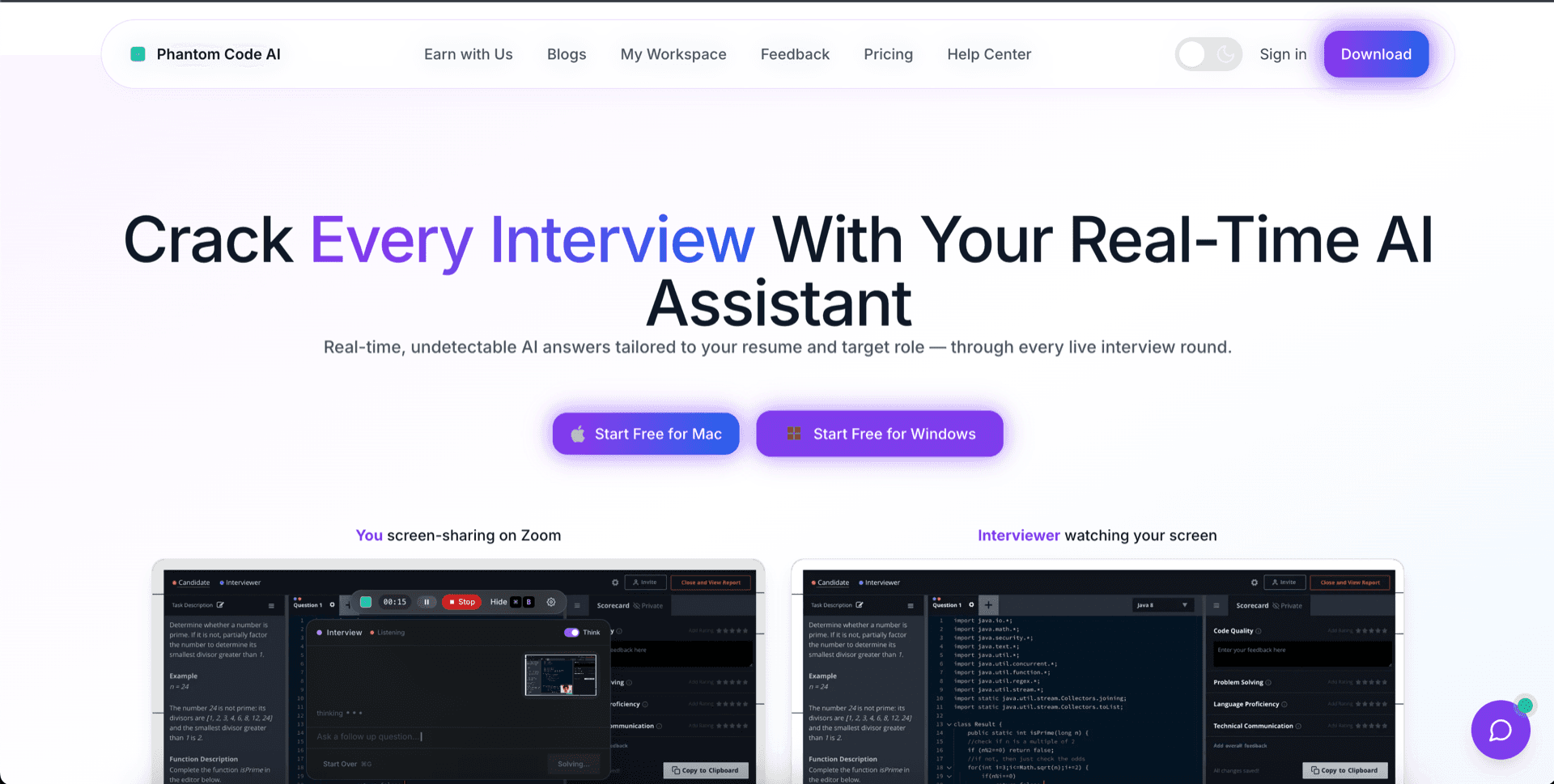
Why engineers move off Interview Sidekick
Interview Sidekick is genuinely well-marketed and has a fast-growing fan base, but it's also a newer entrant — and in the live-coding-interview category, new means thin. Four specific gaps come up over and over again in feedback from engineers who try it for one round and then go shopping for an alternative.
Feature thinness
Interview Sidekick ships the headline loop — listen, answer, show on screen — and not much else. There's no system-design canvas, no structured per-language code generator, no on-screen problem capture, no interview-mode presets. It's a one-feature product polished into looking like a complete one. The moment your interview goes off-script, the thinness becomes obvious.
Limited spoken-language support
Interview Sidekick is built for English-first interviews. If your hiring loop is in Hindi, Mandarin, Arabic, Tamil, Spanish, Portuguese, Japanese, Korean, Vietnamese, or any of the 50+ languages real engineers actually interview in, you're fighting the tool instead of using it. For non-US hiring loops, this is the dealbreaker.
No after-interview transcript
Interview Sidekick gives you live captions and live answers, then disappears the moment the call ends. There's no exportable record of what was asked, what you said, what was suggested, or where you got stuck. You can't debrief, you can't learn, you can't share the round with a coach or a mentor. Once the call closes, the value evaporates.
Less battle-tested
The newness shows up in the small things — edge-case audio handling, behavior on flaky network conditions, language model fallbacks when the primary path stalls, behavior across the long tail of interview tools. Incumbent co-pilots have absorbed thousands of real screen-shared rounds. Interview Sidekick is still being shaped by them in production. If your interview is this week, that gap matters.
Ready to Ace Your Next Interview?
Download now — invisible, undetectable, and works on every platform. Plans start at $19.
5 reasons engineers switch from Interview Sidekick to PhantomCode
These are the differences that come up in every switch conversation we hear. They're not feature-list trivia — they're the parts that decide whether your tool actually carries you through a high-stakes, screen-shared live coding round, or quietly leaves you stranded mid-interview.
1. Feature maturity — the depth a one-year product can't match yet
PhantomCode has been iterating on the interview-co-pilot problem for long enough to have built out the things you only realize you need on the second or third round: structured system-design support, on-screen problem capture, per-interview-mode presets, hotkey-driven workflows, and an answer engine tuned for the messy reality of how interviewers actually phrase questions. Interview Sidekick has the headline loop. PhantomCode has the depth around it that turns the tool from a demo into a daily driver.
2. 50+ spoken languages with bilingual code-switching
PhantomCode handles real-time interviewer audio across more than 50 spoken languages — Arabic, English, Hindi, Mandarin, Tamil, Spanish, French, German, Portuguese, Japanese, Korean, Vietnamese, Indonesian, Turkish, Polish, Dutch, Italian, Russian, Bengali, Telugu, Marathi, Urdu, Thai, and many more — including bilingual code-switching modes for engineers who get interviewed in two languages at once (Hindi-English, Mandarin-English, Spanish-English, Tamil-English, Arabic-English, Portuguese-English). Interview Sidekick is English-first; PhantomCode meets candidates wherever in the world they actually interview.
3. After-interview transcript — the workflow Interview Sidekick doesn't close
When the call ends, PhantomCode hands you a complete, structured transcript of what was asked, what you said, what was suggested, and where you got stuck. You debrief in five minutes instead of replaying half-remembered moments for an hour. You can share it with a mentor, paste it into your prep notes, or use it to spot the same weak spot before it costs you the next round. Interview Sidekick gives you live captions; PhantomCode gives you something you can learn from.
4. Verified invisibility on Mac and Windows screen recording
PhantomCode is designed to stay off your screen-share. The window does not appear in screen recording, screen-sharing, or proctoring video — verified across Zoom, Google Meet, Microsoft Teams, and the major proctoring tools that capture the screen during live interviews, on both macOS and Windows. The result is what we sell; the implementation stays ours. A newer assistant cannot make this claim with the same confidence yet, because verified invisibility takes thousands of rounds across operating systems and interview tools to harden.
5. Coding-language depth across 11 programming languages
PhantomCode produces working code in 11 programming languages — Python, Java, C++, JavaScript, TypeScript, Go, Rust, C#, Kotlin, Swift, Ruby — with the structure interviewers expect: clean function signatures, sensible variable names, edge cases handled, time and space complexity called out where it matters. Interview Sidekick treats coding answers as another text response; PhantomCode treats them as code, written the way a senior engineer would write it on a whiteboard.
The shape of a typical Interview Sidekick → PhantomCode switch
Most engineers don't arrive on this page comparing spec sheets. They arrive after a specific moment — a round that almost went well, a recruiter who almost didn't notice, a follow-up debrief that would have been a lot easier with a transcript in hand. The pattern repeats often enough that it's worth naming out loud, because if you recognize yourself in any of these three moments, the answer is almost always the same.
- · The interview was in Hindi-English code-switching, or Spanish, or Mandarin, and Interview Sidekick's English-first transcription kept dropping the technical vocabulary right when the interviewer pasted the problem statement.
- · The round went deep — system design, edge cases, follow-up questions about complexity — and the headline answer-loop ran out of structure to lean on. The product felt thin where the interview got serious.
- · The call ended, the captions vanished, and there was no record of what was discussed. The next morning, trying to brief a mentor, half the round was already gone.
What Interview Sidekick genuinely does well
A comparison isn't honest if it pretends the other side has nothing going for it. Interview Sidekick has real strengths — they're just pointed at a slightly different stage of the buyer journey than ours.
Newer, cleaner interface
Interview Sidekick's UI is one of the cleaner takes in this category — minimal chrome, fast first-run experience, modern aesthetic. If you value a brand-new product feel and you're comparing surface-level polish, that's a fair point in its favor.
Viral marketing momentum
Interview Sidekick has done a real job of showing up on tech Twitter and short-form video. The product gets discovered through demo clips that look great — and that visibility is genuinely useful for early adopters who like being on the new thing first.
A rising community
Because it's newer, Interview Sidekick's community is small but engaged — Discord and Reddit pockets where users trade tips and feedback. If being part of an early-product community matters to you, that's an honest advantage worth naming.
Switch in 5 minutes
Cancel Interview Sidekick. Install PhantomCode. Be ready before your next call.
There's no migration step. Download the native Mac or Windows app, sign in, pick your spoken language and primary programming language, and run a short practice round to confirm the audio capture and on-screen invisibility both behave the way you expect. That's the whole onboarding. If you have an interview this week, you have time.
- 1. Download PhantomCode for Mac or Windows.
- 2. Sign in and pick your primary programming language and spoken language.
- 3. Run a 90-second practice round so you trust the real-time response feel.
- 4. Cancel Interview Sidekick from your account dashboard whenever you're ready.
- 5. Walk into your next interview with a co-pilot that won't show up on screen-share.
Want a balanced, side-by-side comparison instead?
This page is the persuasive version. If you'd rather see the feature-by-feature, neutral-language comparison with a full table, pricing, and FAQ — that lives at our dedicated PhantomCode vs Interview Sidekick page.
Frequently Asked Questions
- Is PhantomCode better than Interview Sidekick?
- For high-stakes, screen-shared interviews, yes — PhantomCode is more battle-tested, supports 50+ spoken languages, generates code in 11 programming languages, and produces an after-interview transcript Interview Sidekick doesn't. Interview Sidekick still has honest advantages: a newer, cleaner interface, viral marketing momentum, and an engaged early community. If surface polish matters most, it's a fair pick; for depth, PhantomCode wins.
- Does PhantomCode support interviews that aren't in English?
- Yes. PhantomCode handles real-time interviewer audio in more than 50 spoken languages — including Hindi, Mandarin, Arabic, Tamil, Spanish, Portuguese, Japanese, Korean and Vietnamese — plus bilingual code-switching modes such as Hindi-English and Mandarin-English. Interview Sidekick is built English-first, which is the most common dealbreaker cited by engineers interviewing in non-US hiring loops.
- Does PhantomCode give me a transcript after the interview?
- Yes. When the call ends, PhantomCode delivers a complete, structured transcript of what was asked, what you said, what was suggested, and where you got stuck — ready to share with a mentor or fold into prep notes. Interview Sidekick shows live captions during the call, but once it closes there is no exportable record to learn from.
- How much does PhantomCode cost?
- PhantomCode starts from $19 / ₹1,599 for a one-time Starter credit pack, with a monthly subscription at $49 / ₹4,299 and a yearly plan at $199 / ₹19,999. There is no lifetime tier. You can start on the smallest pack, confirm the co-pilot behaves in a practice round, and only then commit to a subscription.
- How hard is it to switch from Interview Sidekick to PhantomCode?
- There is no migration step. Download the native Mac or Windows app, sign in, pick your spoken language and primary programming language, and run a 90-second practice round to confirm audio capture and on-screen invisibility. The whole onboarding takes under five minutes, and you can cancel Interview Sidekick from your account dashboard whenever you're ready.