Looking for a ChatGPT Alternative for Live Interviews? Here's why engineers upgrade to PhantomCode.
ChatGPT is a remarkable general-purpose assistant — and a perfectly fine study buddy for interview prep. It is not built for the moment a recruiter dials in, your screen goes live, and the timer starts. PhantomCode is. If you've been pasting questions from a coding interview into a ChatGPT tab in another window, this page is the upgrade.
Why ChatGPT falls short for live interviews
ChatGPT was built to be a great chat assistant. That is a different job from running alongside you in a live, screen-shared, timed coding interview. The four problems below are not bugs — they are direct consequences of ChatGPT being a general-purpose product. They are also why a different category of tool exists.
1. Constant alt-tabbing and copy-paste
In a real interview the question is being read out loud, the editor is on the screen-share, and the clock is running. Using ChatGPT means alt-tabbing to a browser, retyping or pasting the prompt, waiting for a response, scrolling, copying back. That round trip eats 30 to 60 seconds every single time, and it visibly breaks your flow on camera. Interviewers notice the pauses, and you lose context on the problem every time you switch windows.
2. Visible the moment you screen-share
ChatGPT is a regular browser tab. The moment you screen-share or the proctor records your display, the chat window — including the prompt you just typed and the answer scrolling back — is part of the feed. There is no toggle that hides a Chrome tab from a Zoom share. If you've seen the “is ChatGPT visible in screen share?” search trend, this is why. The answer is yes. Always.
3. No real-time voice transcription of the interviewer
ChatGPT's voice mode is built for talking with ChatGPT, not for listening to a third party speak through your meeting audio while you type. If the interviewer asks a five-sentence behavioral question or reads out a system-design constraint, you have to remember it, transcribe it manually, or re-read it from the shared doc. There is no continuous, low-latency capture of the live conversation feeding the model.
4. General-purpose, not interview-format optimized
ChatGPT will answer almost anything — pancake recipes, travel plans, Roman history, a Python question. That breadth is the strength of the product, but it also means it has no built-in awareness of the interview format. It doesn't know whether you're in a LeetCode-style coding round, a system-design walkthrough, or a STAR behavioral. It does not gate its answers for time pressure. It does not separate “say this out loud” from “type this in the editor.” A general assistant cannot replace a tool tuned for one job.
5 reasons engineers upgrade from ChatGPT to PhantomCode
You don't have to drop ChatGPT. Most candidates keep it for prep. The upgrade is for the live round — the part where general-purpose stops being good enough.
1. Real-time voice listening — no copy-paste
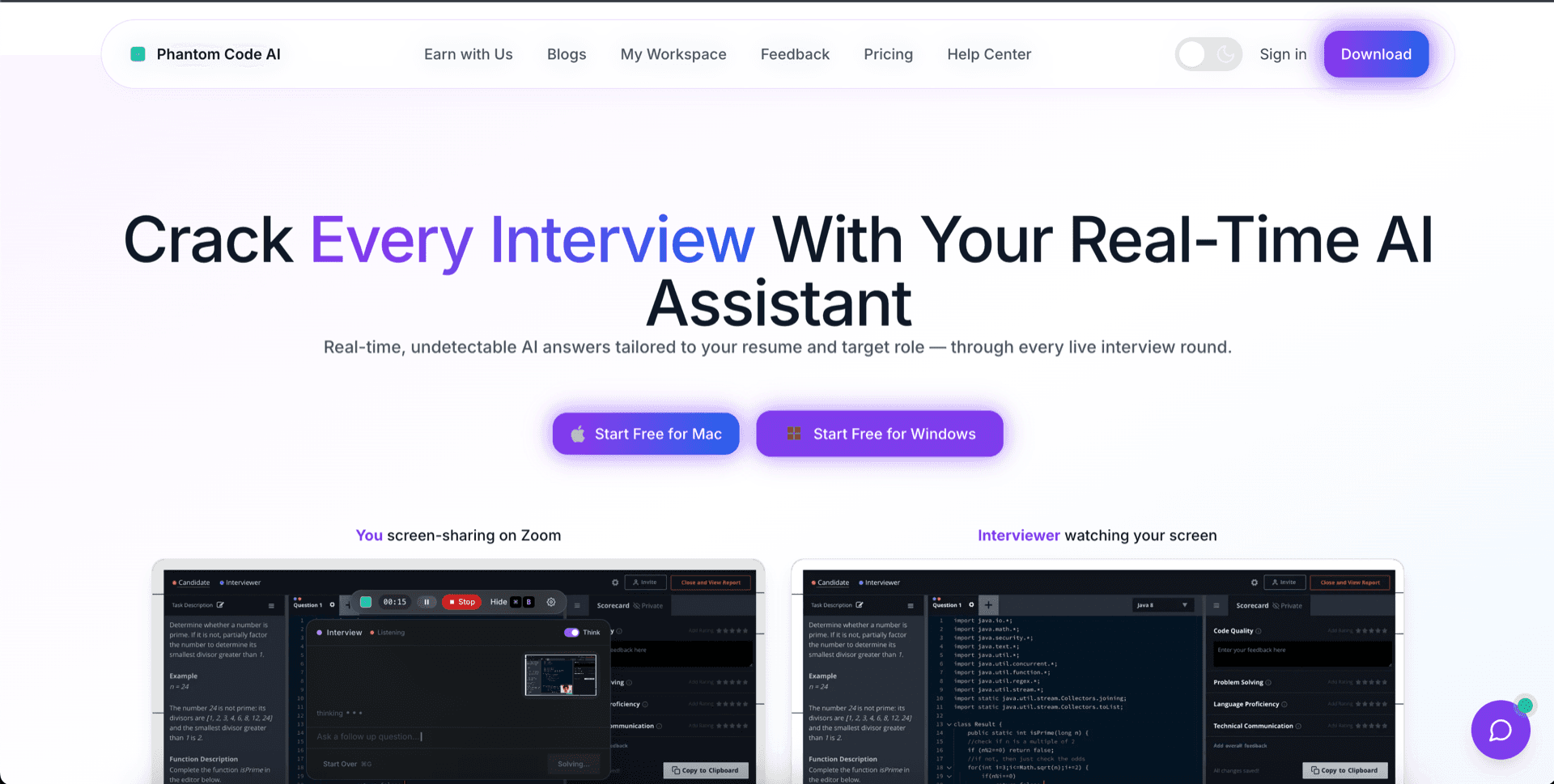
PhantomCode listens to the interviewer's voice in real time and turns it into structured prompts the model can act on immediately. You do not retype the question. You do not paste it. You do not switch windows. The interviewer asks “how would you scale this read path to a million QPS?” and PhantomCode already has it captured, classified as a system-design prompt, and a draft of the answer ready for you to read or rephrase. That is a category change from chatting with a tab.
2. Invisible to screen recording and screen-share
A ChatGPT tab is, by definition, on your screen. PhantomCode is engineered so the assistant window stays out of screen-share streams, screen recordings, and meeting-platform captures on both macOS and Windows — Zoom, Google Meet, Microsoft Teams, Webex, HackerRank live coding, CoderPad, CodeSignal, and the major proctored platforms. The interface is on your monitor. It is not in the recording. That is the floor we ship to, not an aspiration.
3. Interview-specific optimization, not general Q&A
PhantomCode knows the difference between a coding round, a system-design walkthrough, and a behavioral question, and changes its output accordingly — succinct talking points and big-O callouts in coding, capacity-planning structure and tradeoff framing in system design, STAR-shaped narratives in behavioral. It is tuned for 11 programming languages — Python, Java, C++, C, JavaScript, TypeScript, Go, Rust, Kotlin, Swift, and SQL — with idiomatic answers, complexity discussion, and platform-specific gotchas. ChatGPT will give you a fine answer. PhantomCode gives you the answer in the shape an interviewer expects to hear.
4. After-interview transcript with structured history
ChatGPT does not have your interview history. It has a chat thread where you pasted things in. There is no record of what the interviewer actually asked, no segmentation by question, no replay-quality transcript you can read after the call. PhantomCode gives you a complete searchable transcript with the AI's suggestions inline, organized by question, exportable, and tied back to your full interview history across rounds. That turns each interview into a learning loop instead of a one-shot.
5. 50+ spoken languages with code-switching for the actual interview
Real interviews happen in real languages. PhantomCode supports more than 50 spoken languages live, including English, Hindi, Mandarin, Spanish, Arabic, Portuguese, French, German, Japanese, Korean, Tamil, Telugu, Bengali, Marathi, Gujarati, Punjabi, Urdu, Vietnamese, Thai, Bahasa Indonesia, Bahasa Malaysia, Filipino, Turkish, Polish, Dutch, Italian, Russian, Ukrainian, Greek, Czech, Romanian, Hungarian, Swedish, Norwegian, Danish, Finnish, Hebrew, Persian, Swahili — plus bilingual code-switching modes (Hinglish, Spanglish, Tagalog-English, Arabic-English, Mandarin-English, Hindi-Tamil) for interviewers who slip between two languages mid-sentence. ChatGPT can translate. PhantomCode runs your interview in your real working language without you having to ask.
Ready to Ace Your Next Interview?
Download now — invisible, undetectable, and works on every platform. Plans start at $19.
When ChatGPT is still the right tool
Honest framing: ChatGPT is excellent at a lot of things, including a big slice of interview-adjacent work. The right move for most candidates is not to delete one and install the other — it is to use each tool where it is best.
Solo prep the night before
Walking through the company's tech stack, brushing up on a framework, drilling LeetCode patterns, drafting STAR stories from your resume, mock-interviewing yourself out loud in a notebook tab — ChatGPT is genuinely great at all of this. There is no live screen share, no interviewer audio, no time pressure. Use it freely.
Broad knowledge questions
“Explain consensus algorithms,” “what changed in Java 21,” “summarize this paper,” “rewrite this email.” That is what general-purpose chat is built for, and it covers ground PhantomCode does not try to. Keep ChatGPT in your toolbelt for the long tail of writing, learning, and explaining.
Casual learning and exploration
Curiosity-driven coding, side projects, comparing two libraries, sketching architecture out loud, generating boilerplate. None of that needs the discipline of a live-interview tool, and a chat box is the right surface for it. PhantomCode would be overkill — that is the honest version.
The wedge is narrow on purpose: the live, screen-shared, timed, recorded interview round. That is where general-purpose stops working and a specialised tool starts paying for itself.
How to switch (or stack) in 5 minutes
The clean migration is not “replace ChatGPT.” It is “keep ChatGPT for prep, add PhantomCode for the live round.” Here's the practical sequence.
- 1
Keep ChatGPT exactly where it is
Don't cancel anything. Keep using it for solo prep, LeetCode drilling, behavioral story-shaping, and reading-comprehension. None of that needs to change.
- 2
Download PhantomCode for Mac or Windows
Native installers for macOS (Apple Silicon and Intel) and Windows. Less than 100 MB. No browser extension required.
- 3
Sign in, grant microphone access, pick your languages
Choose your spoken language from 50+ options and your default coding language from the 11 supported. Save it once, forget about it.
- 4
Run a 5-minute mock to confirm it's invisible on your setup
Open Zoom or Google Meet, share your screen to yourself on a phone or second device, and verify the assistant window does not appear in the share. Do this once before the real round.
- 5
Use ChatGPT for prep, PhantomCode for the live round
The day of the interview, close the ChatGPT tab. PhantomCode listens, suggests, and quietly captures the transcript. After the call, review the transcript and feed your own takeaways back into ChatGPT for retrospective study. That is the full loop.
Want a balanced comparison?
This page argued the upgrade case. If you'd rather see a side-by-side look at where ChatGPT genuinely wins and where PhantomCode does — pricing, features, model quality, latency, privacy posture — we wrote that one too.
- Feature-by-feature table, no spin
- Honest call-outs of what ChatGPT does better
- Clear guidance on which tool fits which job
Frequently Asked Questions
- Is PhantomCode better than ChatGPT for live interviews?
- For the live, screen-shared, timed round — yes, because that's the one job it's tuned for: real-time voice listening, invisibility to screen capture, and interview-format-aware answers. For solo prep, broad knowledge questions, and casual learning, ChatGPT is excellent and PhantomCode would be overkill. The honest split is ChatGPT for preparation, PhantomCode for the round itself.
- Is ChatGPT visible when I share my screen in an interview?
- Yes — always. ChatGPT is a regular browser tab, and the moment you screen-share or a proctor records your display, the chat window, your typed prompt, and the scrolling answer are all part of the feed. PhantomCode is engineered so its window stays out of screen-share streams and recordings on macOS and Windows across Zoom, Meet, Teams, and the major coding platforms.
- Can I use ChatGPT and PhantomCode together?
- That's the recommended setup. Keep ChatGPT exactly where it is for LeetCode drilling, behavioral story-shaping, and reading up on the company's stack. On interview day, close the ChatGPT tab and let PhantomCode listen, suggest, and capture the transcript. Afterwards, feed your takeaways from the transcript back into ChatGPT for retrospective study — that's the full loop.
- How much does PhantomCode cost compared to ChatGPT?
- PhantomCode pricing starts from $19 / ₹1,599 for the Starter plan, with a Monthly plan at $49 / ₹4,299 and a Yearly plan at $199 / ₹19,999. Because most candidates keep ChatGPT for prep and use PhantomCode only for live rounds, the two spends cover different jobs rather than duplicating one.
- How hard is upgrading from ChatGPT to PhantomCode for interviews?
- Nothing needs cancelling. Download the native installer for macOS or Windows — under 100 MB, no browser extension — sign in, grant microphone access, and pick your spoken language from 50+ options and your coding language from the 11 supported. Then run a five-minute mock, sharing your screen to a second device, to confirm the assistant window never appears in the share.