Looking for a Jobscan alternative? PhantomCode handles the interview Jobscan can't help with.
Jobscan is a good resume tool. It scores your keyword fit against a job description, points out gaps, and helps you clear the applicant tracking system before a human ever sees the page. That is a real problem, and Jobscan solves it. But it is also where Jobscan stops — and where the actual interview begins. PhantomCode picks up where Jobscan ends.
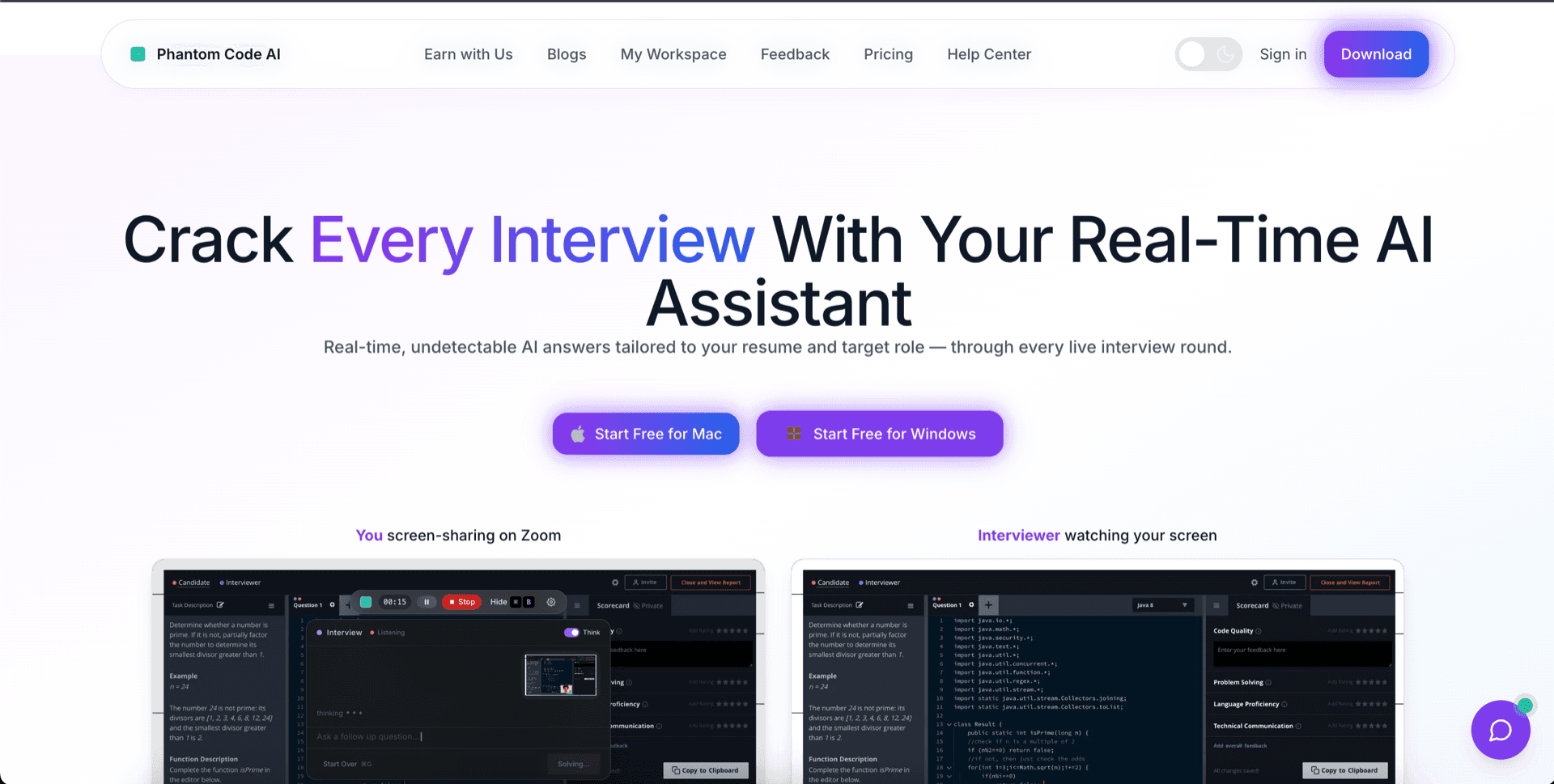
This page is a category comparison, not a feature shootout. If you came here searching “Jobscan vs interview AI” expecting a head-to-head feature table, the honest answer is that they aren't in the same category. Most engineers we talk to end up using both — Jobscan during the application phase, PhantomCode during the interview phase. Jump to the breakdown at PhantomCodeAI vs Jobscan for the side-by-side.
Why Jobscan stops short
ATS keyword optimization gets you past the resume screen. That is genuinely useful — about 75% of resumes never reach a human reviewer because of poor ATS parsing or low keyword overlap. But once you're past that gate, you still have to interview. And the interview is a completely different problem.
Jobscan ends at the resume screen
Jobscan's job is to make your resume readable to an applicant tracking system. It scores keyword density, flags missing skills, suggests phrasing to match a job description. That ends the moment a recruiter actually opens your resume — and the interview loop has not even started yet.
ATS keyword fit doesn't answer interview questions
A perfectly tuned resume gets you the recruiter screen. The recruiter screen gets you the technical phone round. The technical phone round gets you onsites. None of those rounds care how many times the word “Kubernetes” appeared on your resume — they care whether you can design a rate limiter, debug a race condition, and explain a tradeoff out loud.
Different category, different problem
Jobscan and PhantomCode are not competitors in the strict sense. Jobscan is an application-stage tool. PhantomCode is an interview-stage tool. They sit on opposite ends of the same hiring funnel — and most engineers running a real job search end up needing both.
Resume polish can't hide an unprepped interview
We've seen engineers spend three weeks A/B-testing resume keywords and zero hours rehearsing for the actual interview. Jobscan can buy you a callback. It cannot buy you an offer. The interview is where the offer is decided, and the interview is the gap PhantomCode closes.
5 reasons engineers add PhantomCode on top of Jobscan
Notice the framing — “add,” not “replace.” If Jobscan is already doing useful work for your applications, keep it. The reasons below are about what happens after the resume lands and the calendar invite arrives.
- 01
Live during the round, not before it
PhantomCode runs in real time, while you're actively in the interview. The moment the interviewer reads the problem out loud, PhantomCode hears it and starts reasoning. Jobscan's feedback loop is days or weeks long — write resume, run scan, edit, repeat. PhantomCode's feedback loop is seconds, and the feedback is the answer to the question you were just asked.
- 02
Covers coding, system design, and behavioral
Real interview loops are not just LeetCode. They're a coding round, a system design round, a behavioral round on leadership and conflict, sometimes a domain round on the company's actual stack. PhantomCode is built for the full loop — it can walk you through a graph problem, sketch a sharded write-path, and frame a STAR-style behavioral answer in the same session. Jobscan does none of those things, by design.
- 03
Invisible to screen recording and screen sharing
PhantomCode is a native macOS and Windows desktop app whose window does not appear in screen recording or screen sharing. We've verified the behavior across Zoom, Google Meet, Microsoft Teams, and the QuickTime/OBS family of recorders — the overlay is on your screen, but it is not in the recording. That matters because the rounds where you'd most want help are exactly the rounds being recorded and shared. Jobscan never had to solve this problem because Jobscan never sits next to you during the interview.
- 04
50+ spoken languages — not just English
PhantomCode listens and reasons in 55 primary languages plus 6 bilingual and multilingual modes — including Arabic, English, Hindi, Mandarin, Tamil, Spanish, Portuguese, Japanese, Korean, French, German, Bengali, Vietnamese, Turkish, and Polish, among many others. If your interviewer code-switches between Tamil and English, or runs the round entirely in Mandarin or Arabic, PhantomCode keeps up. Jobscan's keyword matching is English-anchored and resume-anchored — it does not even attempt to follow a spoken interview.
- 05
After-interview transcript on every round
Every PhantomCode session generates a complete transcript of the round — questions, your responses, the model's reasoning trail, and the code you wrote. You can actually review what happened after the call: where you stumbled, what the interviewer signalled they cared about, what to drill before the next loop. Jobscan reports on a resume; PhantomCode reports on the interview itself. They tell you about completely different stages of the funnel.
When Jobscan still helps — use both at different stages
We are not telling you to drop Jobscan. The application phase is real work, and resumes still get filtered by ATS software at most large employers. If you are applying to dozens of roles a week and tuning each resume to a job description, Jobscan saves you hours and almost certainly raises your callback rate. That is a separate, legitimate problem from the one PhantomCode solves.
The clean way to think about it: Jobscan is for the part of the funnel where a machine is reading your resume, and PhantomCode is for the part of the funnel where a human is asking you questions. Use Jobscan to get the interview. Use PhantomCode during the interview. They don't overlap, and using both is how serious job seekers in 2026 actually run their loop.
Add PhantomCode in 5 minutes
You don't have to commit. Run it once on a mock interview and decide for yourself whether it changes the round.
1.Download PhantomCode for Mac or Windows
Native desktop installer, no browser extension, no account-creation friction. Two minutes from click to running.
2.Open it during your next mock or self-recorded round
Hit record on QuickTime or OBS, share your screen on a fake Zoom, and confirm the PhantomCode window doesn't show up in the recording. The first time you see this work is when the value clicks.
3.Speak the question out loud — or have a friend ask it
PhantomCode picks it up live. Pick your spoken language in the settings if it isn't English — Hindi, Mandarin, Tamil, Spanish, Portuguese, Arabic, Japanese, Korean, French, and German are all first-class.
4.Try a coding round, a system design round, and a behavioral question
All three are inside PhantomCode's scope. This is the part that surprises Jobscan users — the interview tool covers more than just LeetCode.
5.End the session and read the transcript
You'll have a full record of the conversation, the reasoning, and the code. Use it to drill the next round.
6.Keep Jobscan for applications, run PhantomCode for interviews
That is the configuration most of our power users land on. Different tool for each phase of the loop.
Want a balanced side-by-side instead? See the full PhantomCodeAI vs Jobscan comparison →
Frequently Asked Questions
- Is PhantomCode a replacement for Jobscan?
- No — they aren't in the same category. Jobscan optimizes your resume so it clears applicant tracking systems; PhantomCode helps during the live interview that follows. Jobscan can buy you a callback, but it cannot buy you an offer — the interview is where the offer is decided, and that is the gap PhantomCode closes. The framing is add, not replace.
- Should I use Jobscan and PhantomCode together?
- Yes — that is the configuration most power users land on. Jobscan is for the part of the funnel where a machine reads your resume; PhantomCode is for the part where a human asks you questions. Keep Jobscan for high-volume, JD-tuned applications, and launch PhantomCode once the recruiter says yes and a real round lands on your calendar.
- What can PhantomCode do in an interview that Jobscan can't?
- Everything after the resume screen. PhantomCode listens to the interviewer in real time and helps across the full loop: walking through a graph problem, sketching a sharded write-path in system design, and framing STAR-style behavioral answers. Jobscan does none of this by design — its feedback loop is resume-edit cycles measured in days, not seconds.
- Will PhantomCode appear when I share my screen?
- No. PhantomCode is a native macOS and Windows desktop app whose window does not show up in screen recording or screen sharing — behavior verified across Zoom, Google Meet, Microsoft Teams and the QuickTime/OBS family of recorders. That matters because the rounds where you most want help are exactly the rounds being recorded and shared.
- How much does PhantomCode cost?
- PhantomCode starts from $19 / ₹1,599 with a one-time Starter credit pack, a $49 / ₹4,299 monthly subscription, and a $199 / ₹19,999 yearly plan — there is no lifetime tier. You can run it once on a mock interview, confirm it stays out of the recording, and only then decide whether it earns a place in your loop.
Ready to Ace Your Next Interview?
Download now — invisible, undetectable, and works on every platform. Plans start at $19.