Looking for a Careerflow alternative? PhantomCode handles the interview Careerflow doesn't touch.
Careerflow is a great job-search tracker and LinkedIn optimizer — it lives upstream of the interview. PhantomCode is the live coding co-pilot that shows up the moment the recruiter dials in. Different category, different job. If you're searching for a Careerflow alternative because you need help inside the actual interview, this is the page.
Why Careerflow stops short of the interview
Careerflow does its job well — and its job is everything that happens before the recruiter sends the calendar invite. Application tracking, resume tuning, LinkedIn keyword optimization, networking suggestions. All of that is upstream of the interview. The moment you click the meeting link, Careerflow goes quiet — by design. It was never built for the live round.
It's a tracker, not a co-pilot
Careerflow's home screen is a Kanban of applications, statuses, follow-ups, and LinkedIn checks. That's a search-organization product. There is no live audio capture, no on-screen problem reading, no real-time code suggestion — because helping you mid-interview was never the design goal.
Upstream of the hard part
Getting an interview is real work, and Careerflow makes that work cleaner. But the moment a recruiter says ‘great, let's set up a 60-minute coding round,’ you're past Careerflow's remit. The thing that decides the offer is the live interview — and that's where a different tool is needed.
Different category entirely
Careerflow is in the same category as Teal, Huntr, and Simplify. PhantomCode is in the same category as live interview co-pilots. Comparing them feature-for-feature misses the point. Most people who land here don't want to replace Careerflow — they want to add the missing piece.
Ready to Ace Your Next Interview?
Download now — invisible, undetectable, and works on every platform. Plans start at $19.
5 reasons to add PhantomCode to your Careerflow setup
Keep Careerflow doing what it's already doing well — tracking, tuning your LinkedIn, organizing the search. PhantomCode picks up the moment the interview starts. Here's the part of the workflow it covers, point by point.
1. Live during the interview, not before it
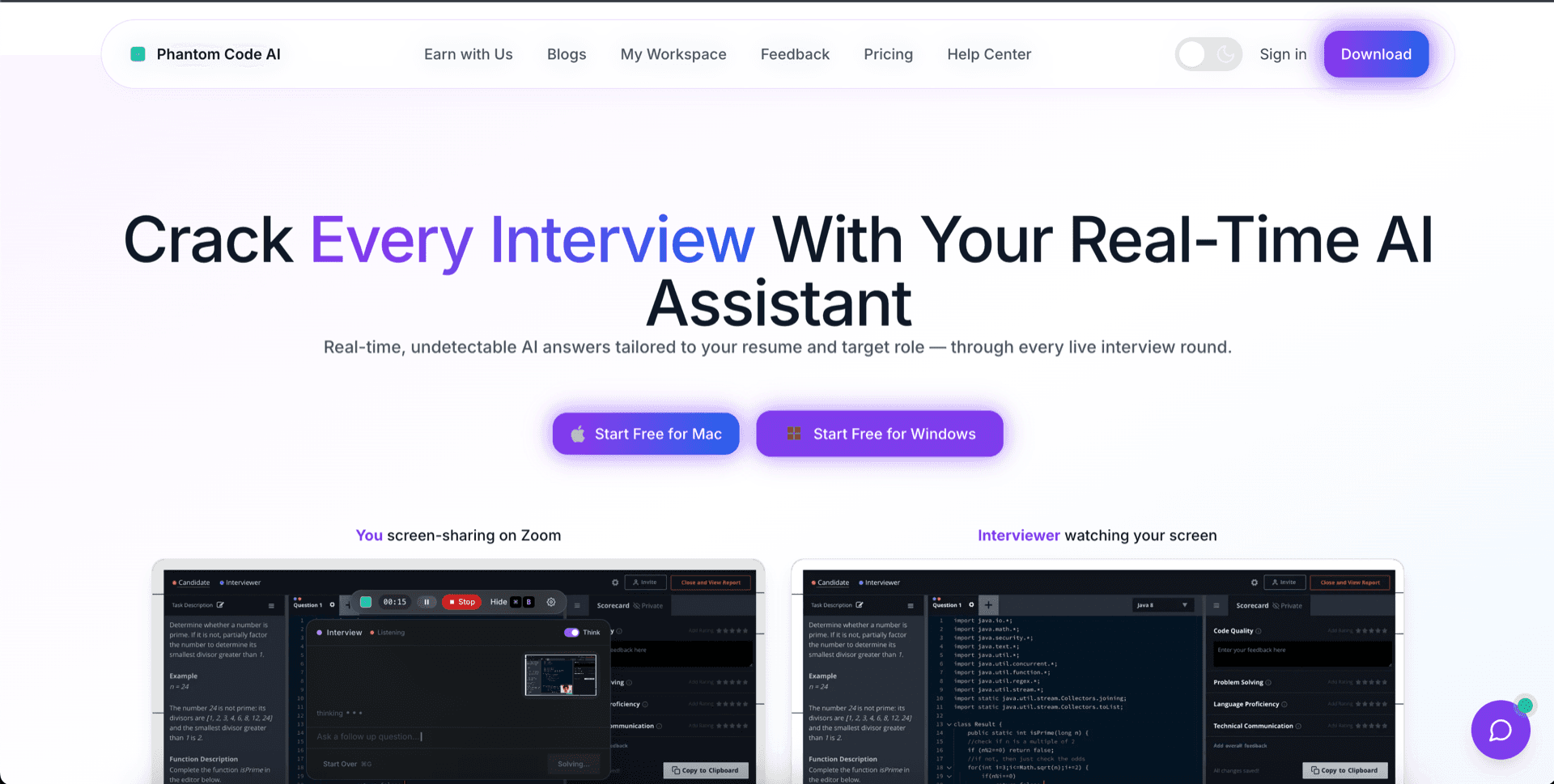
PhantomCode listens to the interviewer's audio, reads the problem on your screen, and produces working answers in real time — while the call is happening. Careerflow's pre-interview prep stops working the moment you click ‘Join meeting.’ PhantomCode starts working at exactly that moment. That's the entire seam these two tools fit into together.
2. Full interview surface — coding, system design, behavioral
PhantomCode covers the rounds that decide the offer: data-structures and algorithms problems in 11 programming languages (Python, Java, C++, JavaScript, TypeScript, Go, Rust, C#, Kotlin, Swift, Ruby), system-design walkthroughs with diagrammed reasoning, and behavioral STAR-style answers tuned to the role. Careerflow has resume keywords; PhantomCode has the live answers under timer pressure.
3. Invisible to screen recording — verified
PhantomCode is designed to stay off your screen-share. The window does not appear in screen recording, screen-sharing, or proctoring video — verified across Zoom, Google Meet, Microsoft Teams, and the major proctoring tools that capture the screen during live interviews. This is the security property that makes a live co-pilot usable in a real interview rather than a hypothetical one.
4. 50+ spoken languages, with code-switching
PhantomCode handles real-time interviewer audio across more than 50 spoken languages — Arabic, English, Hindi, Mandarin, Tamil, Spanish, French, German, Portuguese, Japanese, Korean, Vietnamese, Indonesian, Turkish, Polish, Dutch, Italian, Russian, Bengali, Urdu, Telugu, Marathi, Gujarati, Punjabi, Thai, Malay, Filipino, Swahili, and many more — including bilingual code-switching modes for interviews conducted in two languages at once. Careerflow doesn't need spoken-language support; PhantomCode needs to meet candidates wherever in the world they actually interview.
5. After-interview transcript — debrief in five minutes
When the call ends, PhantomCode hands you a complete, structured transcript of what was asked, what you said, what was suggested, and where you got stuck. You debrief in five minutes instead of replaying half-remembered moments for an hour, and you can drop key notes back into your Careerflow application card so the search history stays accurate. Careerflow tracks the outcome; PhantomCode tracks the substance.
When Careerflow still earns its place in your stack
We're not telling you to drop Careerflow. We're telling you it wasn't built for the interview itself, and that's fine — there are three jobs it does well that PhantomCode doesn't even try to do. Pair them and you have the full pipeline covered.
Job-search tracking
Careerflow's Kanban for applications, follow-up reminders, and contact log is genuinely useful when you're running 30 to 50 simultaneous applications. PhantomCode doesn't replace that — it sits next to it, on a different surface entirely.
Application management
Resume tailoring per role, cover-letter drafting, application status tracking, and the Chrome extension that auto-fills boilerplate fields — Careerflow's strongest feature set lives here. Use it for what it's for.
LinkedIn refresh
Careerflow's LinkedIn optimizer — keyword scoring, headline suggestions, summary rewrites — is one of the cleaner versions of that workflow on the market. PhantomCode has zero opinion on your LinkedIn. Keep using Careerflow for that.
Add PhantomCode in 5 minutes
Keep Careerflow. Add PhantomCode. Be ready before your next interview.
You don't have to migrate anything. Careerflow continues to track the search, send the follow-ups, and tune your LinkedIn. PhantomCode installs as a native Mac or Windows app and shows up only when the interview starts. Five minutes, no overlap, no friction.
- 1. Download PhantomCode for Mac or Windows.
- 2. Sign in and pick your primary programming language and spoken language.
- 3. Run a 90-second practice round so you trust the live response feel.
- 4. Keep Careerflow open in its own tab — it stays the system of record for the search.
- 5. Walk into your next interview with a co-pilot that won't show up on screen-share.
Want a balanced, side-by-side comparison instead?
This page is the persuasive version. If you'd rather see the feature-by-feature, neutral-language comparison with a full table, pricing, and FAQ — that lives at our dedicated PhantomCode vs Careerflow page.
Frequently Asked Questions
- Is PhantomCode a replacement for Careerflow?
- Not really — they're different categories. Careerflow sits with trackers like Teal, Huntr, and Simplify: application management, LinkedIn optimization, follow-up reminders. PhantomCode sits with live interview co-pilots: real-time coding, system design, and behavioral help during the call itself. Comparing them feature-for-feature misses the point; most engineers add PhantomCode next to Careerflow rather than swapping one for the other.
- Can I use Careerflow and PhantomCode together?
- Yes — that's the recommended setup on this page. Careerflow stays the system of record for the search: tracking, follow-ups, LinkedIn tuning. PhantomCode covers the live round, and when the call ends you can drop key notes from its transcript back into the matching Careerflow application card so the search history stays accurate.
- How much does PhantomCode cost compared to Careerflow?
- PhantomCode pricing starts from $19 / ₹1,599 for the Starter plan, with a Monthly plan at $49 / ₹4,299 and a Yearly plan at $199 / ₹19,999. Since the two tools cover different stages of the funnel, most candidates treat them as separate line items rather than an either/or decision.
- How hard is adding PhantomCode to a Careerflow setup?
- About five minutes, with no migration — the tools never touch each other. Download the native Mac or Windows app, sign in, pick your primary programming language and spoken language, and run a 90-second practice round. Careerflow keeps running in its own browser tab; PhantomCode shows up only when the interview starts.
- Does Careerflow help during the live interview itself?
- No — by design. Careerflow's surface is a Kanban of applications, statuses, and LinkedIn checks; there is no live audio capture, no on-screen problem reading, and no real-time code suggestion, because helping mid-interview was never its design goal. The moment a recruiter books a 60-minute coding round, you're past Careerflow's remit — that's the seam PhantomCode fills.