Best Online AI Interview Assistants for 2026

Compare online AI interview assistants for coding, system design, and behavioral rounds, with notes on live help, pricing, privacy, and fit.
An online AI interview assistant can give you a prompt to work through when a coding question stalls or a system design round shifts direction. The best fit depends on whether you need live guidance, interview practice, or focused coding help. Here are four options and what each is suited to.
We analyzed 39 YouTube comments about online AI interview assistants and found that 28% mentioned concerns about eye-tracking and screen-sharing privacy.
Table of Contents
- Phantom Code AI
- AcePrompt: technical-first real-time interview guidance
- LockedIn AI: broad interview coaching with coding help
- Interview Coder: focused screen-based coding support
- How to choose an assistant for your interview
- Frequently asked questions
- Conclusion
1. Phantom Code AI
Phantom Code AI is a desktop assistant for technical interviews. It listens, transcribes, recognizes problem types, and gives real-time guidance during mock or live interviews. It runs on macOS and Windows, with free signup credits available for new accounts.
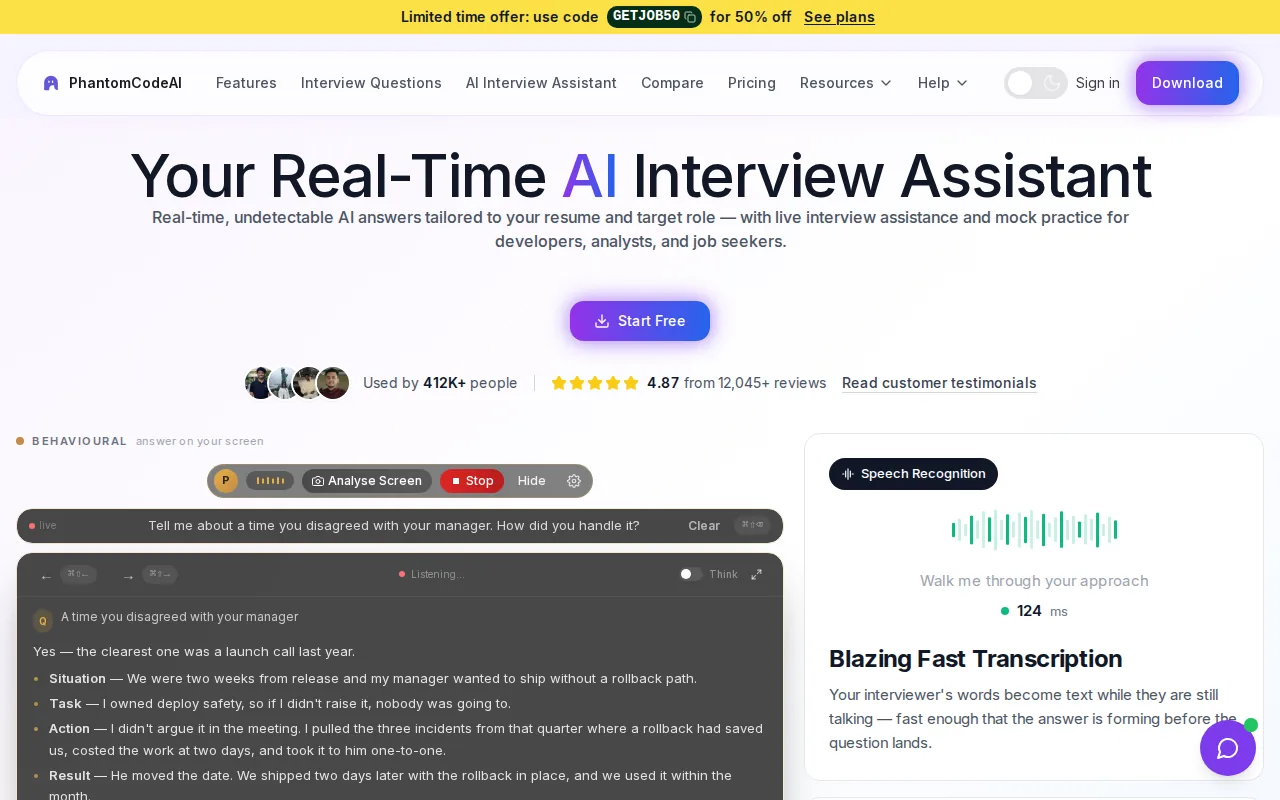
It’s a strong fit for software engineers who want one assistant to support several interview formats. For a DSA question, problem-type recognition can help orient the discussion before you work through an approach. In system design, the same broader interview focus can help you organize your response. Behavioral rounds are also part of the intended use.
Phantom Code AI’s plans include weekly, monthly, and yearly subscriptions, plus one-time credit packs. The Starter Credit Pack is $19; the other listed options include a $29 weekly subscription and a $49 monthly subscription. Choose based on how long you expect to prep, rather than assuming a live interview tool replaces practice.
The assistant is described as invisible, but that isn’t a reason to use it without permission. Check the interview’s rules first. And if you want to understand how live support differs from preparation, read AI Interview Assistant: How It Works.
One trade-off applies across these picks: none has a confirmed IDE integration in the available product information. You may need to switch between your coding environment and the assistant. That’s worth testing before an interview, when even a small workflow change can distract you.
Good fit: Engineers seeking interview support across coding, system design, and behavioral rounds, with desktop use on macOS or Windows.
2. AcePrompt: technical-first real-time interview guidance
AcePrompt is a real-time interview copilot built technical-first. It transcribes the interviewer in under 300 milliseconds and provides live, structured guidance. A free tier is available, which makes it an option to test before paying.
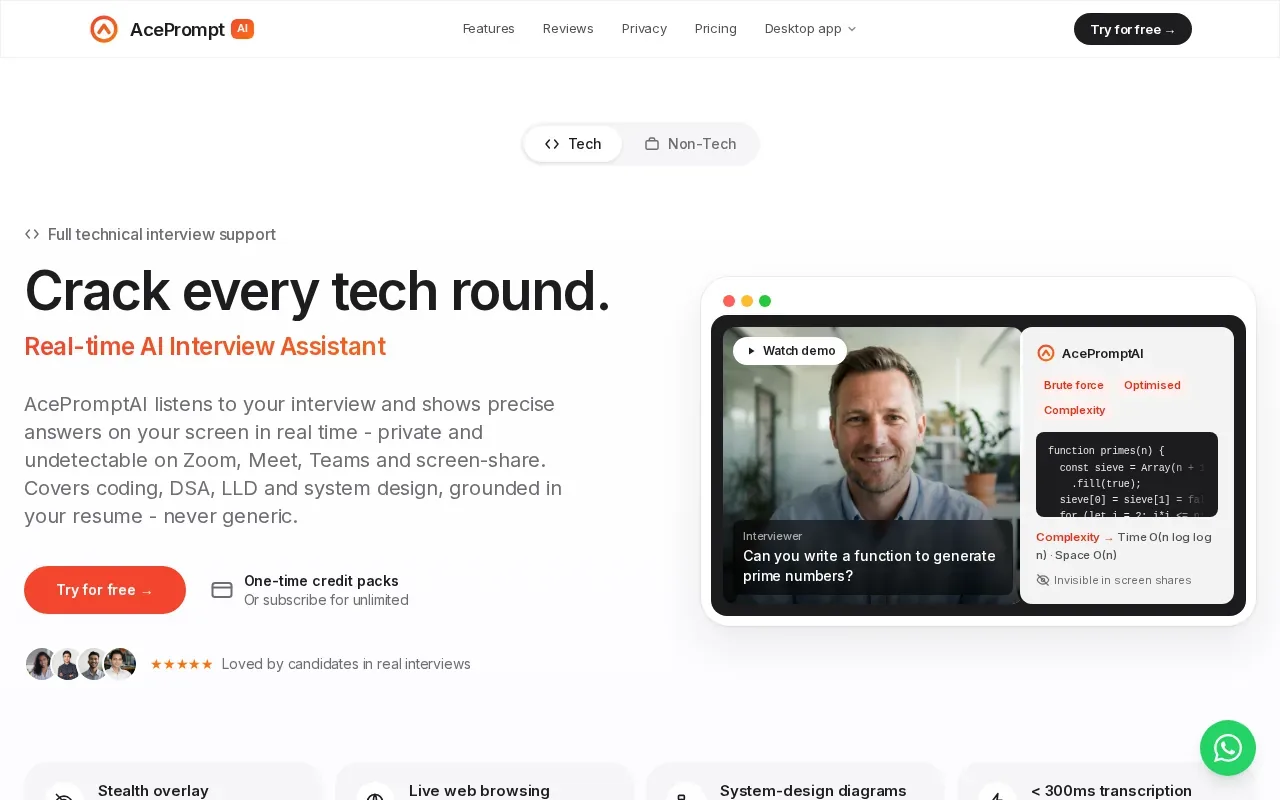
Use live guidance as a prompt to organize your thinking, not a substitute for explaining it. For example, in a coding round, state your approach, discuss its complexity, and then walk through a test case. In a system design discussion, clarify requirements before proposing components.
For behavioral questions, a STAR-style structure can help keep an answer focused on context, action, and result.
The under-300-millisecond transcription claim is specific to AcePrompt. Treat it as a vendor claim, not a promise that every answer will arrive at the same speed. Before relying on any live assistant, test how it handles your meeting setup and the kinds of questions you expect. AcePrompt says it supports platforms such as Zoom. Check what the free tier includes before building your prep routine around it.
Good fit: Candidates who want live technical guidance and a free tier to try, especially when preparing to explain coding or system design decisions.
3. LockedIn AI: broad interview coaching with coding help
LockedIn AI is an interview assistant that describes real-time answers, live coaching, and code help. It’s aimed at candidates who want support during different interview tasks, rather than a tool built only around screen-based coding prompts.
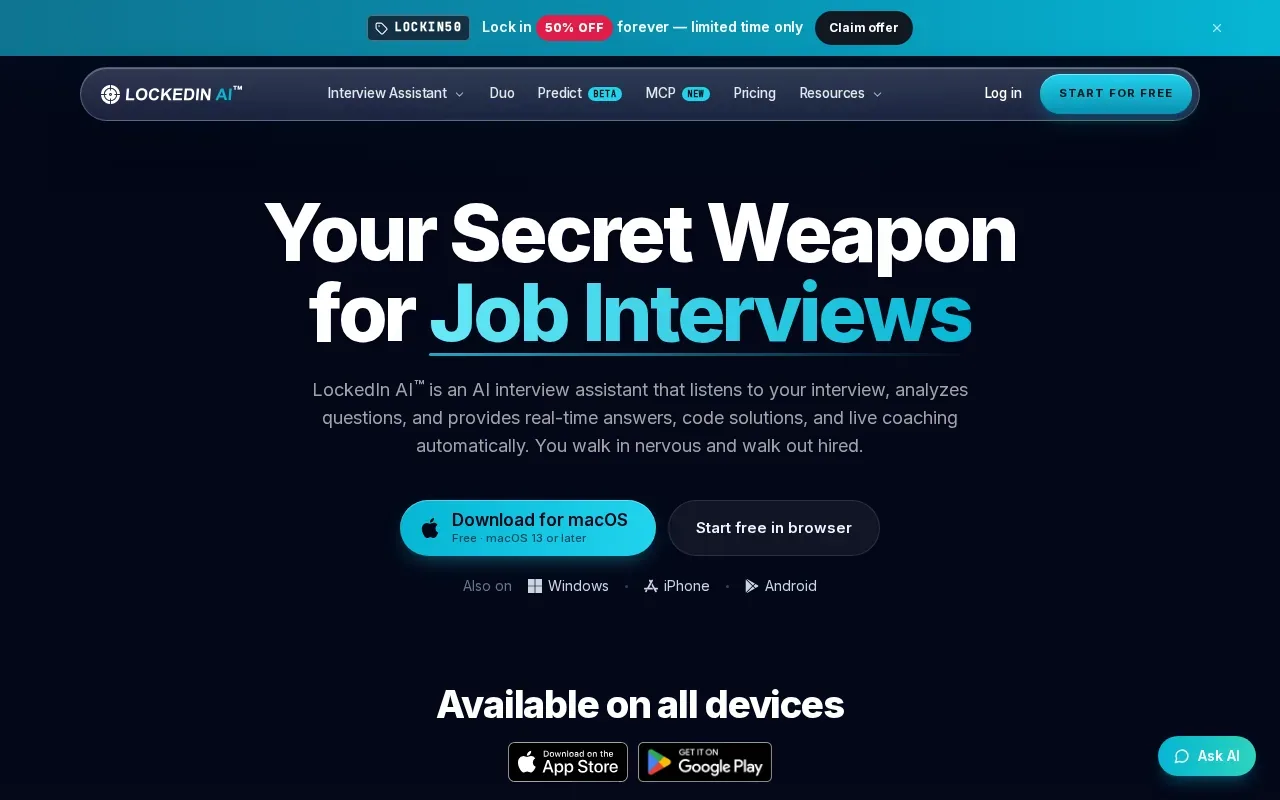
LockedIn AI is trusted by more than one million professionals and is free to start. The free-to-start option gives candidates a way to assess the workflow before making it part of their prep.
For a software engineer, the key question is how its coaching fits the round. Code help may be useful when you’re working through an algorithm problem. For a behavioral question, real-time coaching is a different kind of aid. Don’t assume a broad assistant handles every question in the same way; test it with a sample prompt that matches your next interview.
Check platform compatibility and mock-interview features against your setup before you depend on them.
As with any live tool, privacy and interview rules deserve a look before use. Avoid entering private employer data or personal details you don’t need for practice. In a real assessment, ask whether AI support is permitted. If it isn’t, use an assistant only for prep outside the interview.
Good fit: Candidates who want a broad live assistant and prefer to start with free access.
4. Interview Coder: focused screen-based coding support
Interview Coder is a desktop tool focused on coding questions shown on your screen. It reads a problem and writes a solution. That narrow purpose may suit candidates who want coding support without choosing a general interview coach.
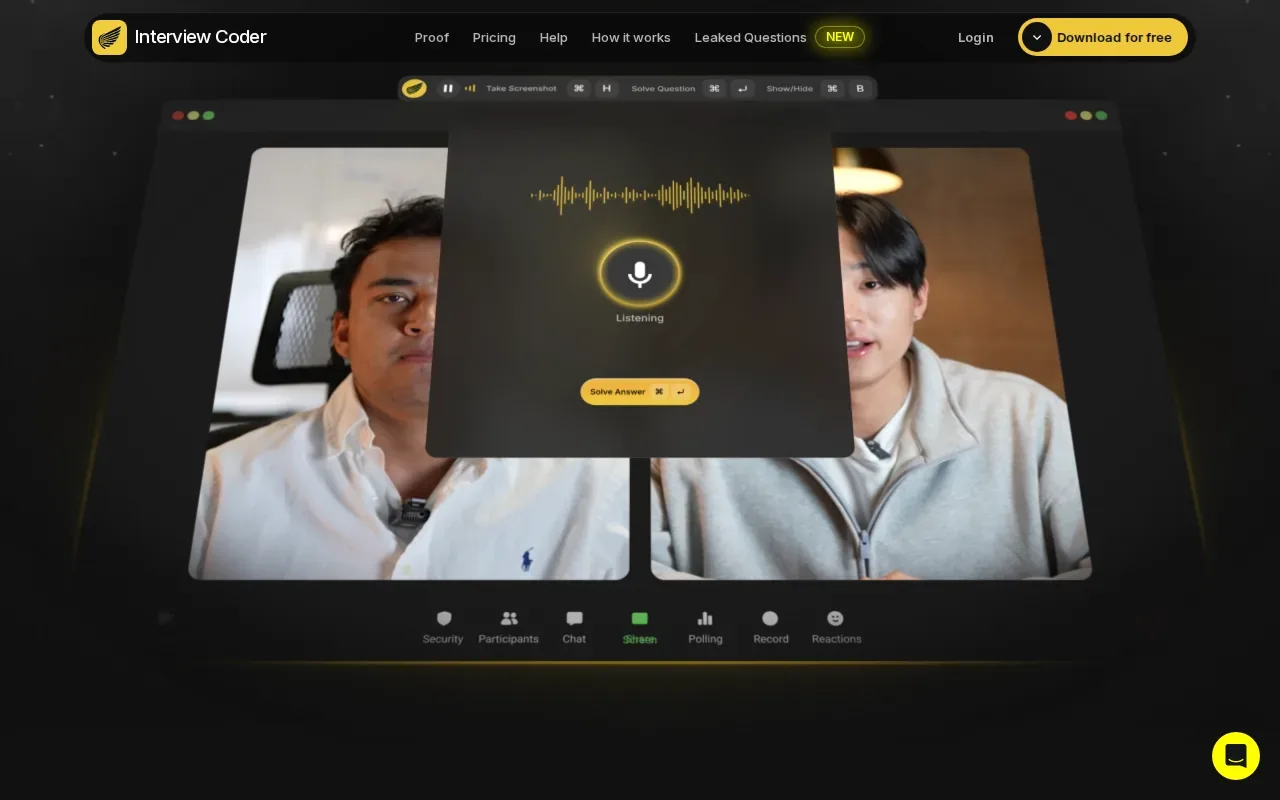
For a coding question, review whether the solution addresses the prompt and consider how you would explain the approach. Use practice problems to assess whether this screen-based workflow fits the way you prepare.
Before relying on a tool during an interview, try it with representative coding prompts. Check that you can follow the solution, discuss tradeoffs, and explain how you would test it. That preparation keeps your focus on demonstrating your own reasoning.
This is a different workflow from a broader assistant that listens to an interview conversation. Interview Coder’s described focus is reading a coding task from the screen and producing a solution. Choose based on whether you need screen-based code generation or support across multiple interview types.
Phantom Code AI’s comparison page lists Interview Coder at $60 per month. That price may be relevant if you’re weighing a focused desktop coding tool against a broader interview assistant. It doesn’t make the tools interchangeable: choose based on whether you need screen-based code generation or support across multiple interview types.
Good fit: Developers who want a narrow coding workflow.
| Decision point | Interview Coder | What to consider |
|---|---|---|
| Core task | Reads coding problems from the screen and writes a solution | Pick it for a coding-focused workflow |
| Data handling | Consider what information you share with any tool | |
| Setup | Try the workflow with practice problems before an interview |
How to choose an assistant for your interview
Start with the round you’re preparing for. A coding screen calls for a different workflow than a behavioral interview. Then check whether the tool works with your computer and interview platform, what it costs to keep using, and how it handles data.
- For more than coding: Phantom Code AI is designed for coding, system design, and behavioral interviews.
- For a free tier and fast transcription: AcePrompt lists both, along with technical-round guidance.
- For broad live coaching: LockedIn AI describes real-time answers, coaching, and code help.
- For screen-based coding help: Interview Coder focuses on reading a coding task from your screen.
Mock practice and live assistance aren’t the same. Practice lets you pause, retry, and review your answer. Live support happens under interview pressure. A useful routine is to rehearse first, then use a live assistant only if the interviewer allows it. Ask about the rules before the round, not after you’ve started.
Also check the cost beyond a first test. Phantom Code AI lists subscriptions and one-time credit packs, while AcePrompt has a free tier and LockedIn AI is free to start. For Interview Coder, compare the $60 monthly price with how often you’ll use its screen-based workflow. Don’t pay for coverage you won’t need.
Frequently asked questions
What is an online AI interview assistant?
An online AI interview assistant is software that helps with interview practice or gives support during an interview. Some tools focus on live transcription and suggested answers. Others help with a coding task shown on screen. Check whether a tool is for practice, live use, or both, then confirm that its use is allowed in your interview.
Which AI interview assistant is best for coding interviews?
Phantom Code AI is the broadest match here for engineers who want help across technical interview types. Interview Coder is more focused: it reads a coding problem from the screen and writes a solution. AcePrompt also describes live coding guidance, including an approach and complexity analysis. Your choice depends on the kind of help you need.
Can I use an AI assistant during a live job interview?
Only use one if the interviewer or employer permits it. Rules can vary by role and assessment, so ask before the interview. If live AI help isn’t allowed, you can still use an assistant to practice beforehand. Rehearse explaining your own decisions, since you may need to solve the problem without prompts.
Are any of these interview assistants free?
Yes. AcePrompt has a free tier, and LockedIn AI is free to start. Phantom Code AI gives new accounts free signup credits, while its plans also include paid subscriptions and one-time credit packs. Check the current terms before you rely on free access for an extended prep period.
How should I think about privacy when using interview AI?
Read how the tool handles your audio, screen content, and any files you provide. Interview Coder says local models keep code and problem statements on your computer; using an external API sends data to that provider. For every tool, avoid sharing sensitive information unless you understand where it goes.
Conclusion
For support across coding, system design, and behavioral rounds, start with Phantom Code AI. New accounts get free signup credits, so test the workflow with a practice prompt before deciding whether a paid plan fits. And ask about interview rules before using live assistance.