How to Use a Live Transcript for Better Behavioral Stories

Learn how to use a live interview transcript to shape a clear STAR story, check key details, and rehearse a focused answer for software interviews.
Ever finish a mock interview and wish you could rewind to the one answer worth keeping? To learn how to use a live transcript to craft better behavioral stories, treat the transcript as raw material, not a script. Capture the details first, then shape them into a clear story you can tell in your own words.
We analyzed 8 top-ranking guides on behavioral interview STAR method preparation, including MIT, Michigan Tech, Dartmouth, Yale, DEV.to, CoachHub, Greenlit Content, and Case Western, and found that only 1 mentions recording an answer for self-review. None describe building a STAR story from a transcript, cleaning transcript errors, or using speaker labels.
Table of Contents
- Step 1: Choose a Story and Prepare to Capture It
- Step 2: Create and Clean a Live Interview Transcript
- Step 3: Turn Transcript Excerpts Into a STAR Story Arc
- Step 4: Edit for Clarity, Specificity, and Impact
- Step 5: Rehearse the Story and Refine Your Delivery
- Frequently Asked Questions
- Conclusion
Step 1: Choose a Story and Prepare to Capture It
Pick one interview prompt and one experience before you start recording. A focused session makes it easier to find the lines that show how you think and act.
For a software role, choose an example with a clear decision or challenge. You might recall a deployment that failed, a design choice your team debated, or a project where you had to make a trade-off. Choose a story you can explain accurately, including what you owned and what others handled.
Write the prompt at the top of your notes. Then add a few cues, not a full script: what was at stake, what was your role, and what changed because of your work? These cues help you notice missing details later without steering you toward a rehearsed answer.
Use a mock interview or a practice recording to capture your first version. Phantom Code AI is one option for mock interview practice; it listens, transcribes, recognizes problem types, and gives real-time guidance. Keep the tool in practice mode unless the rules for a live interview clearly allow outside assistance.
Before you begin, check the recording and AI-use rules for the session. If you’re recording another person, get their permission. A transcript is useful only when you can collect it in a way that respects the people and the interview rules.
Set your device close enough to capture speech clearly. Test the mic with a short sample, then check that the text appears as you speak. Keep a blank note nearby for proper names, system terms, and numbers that speech recognition might mishear.
By now you should have one prompt, one story to test, and a capture setup that works. Don’t try to build your whole story bank in one sitting.
Step 2: Create and Clean a Live Interview Transcript
Capture the exchange first, then fix only the parts that affect meaning. You can use live captions, a recording with transcription, or manual notes if those fit the session rules and your setup.
Start the transcript before answering. If the tool lets you label speakers, mark the interviewer and candidate early. Speaker labels matter when you review a follow-up question beside your reply. If labels aren’t available, add them yourself as you clean the text. Phantom Code AI, for example, transcribes both the interviewer and you and streams the exchange into a chat-style view, so each question sits beside your reply.
For a recorded mock interview, Premiere Pro’s Transcript panel can help you find useful sections without scrubbing through the full video. Click a phrase to jump to that moment, then find and select transcript text to insert into a new sequence.
That method can help you find the moment where you first explain a technical decision, then compare it with the point where you describe the result. It doesn’t decide which moment belongs in a STAR answer. You still need to judge whether the excerpt is accurate and useful.
Clean the transcript with care. Fix obvious speech-to-text errors in names, programming terms, dates, and figures. Mark a missing phrase if you can’t confirm what was said. Don’t fill a gap by guessing.
Keep timestamps when you have them. They let you return to the audio to check tone or confirm a quote. You can also mark filler words or long pauses by hand, but treat those as review cues, not proof that an answer was weak. A pause may be where you took time to think.
Live captions can miss short words or confuse a term such as “cache” with another word. Listen to the audio before you edit a detail that changes the technical meaning. By now you should have readable speaker turns and a short list of points that need a source check.
Step 3: Turn Transcript Excerpts Into a STAR Story Arc
Use transcript excerpts to build a sequence, not a pile of good lines. STAR gives the sequence four parts: Situation, Task, Action, and Result.
First, find the smallest amount of context needed to understand the problem. For a software story, that might be a service with rising error rates during a release. Don’t include the full project history if the interviewer only needs to know what broke and why it mattered.
Next, find the line that states your responsibility. The task is your part of the problem, not the team’s whole assignment. If you were asked to trace the cause of a failure while another engineer handled the rollback, keep those roles distinct.
Then pull the action excerpts. Look for choices and steps, not just a list of things that happened. For example, you might say you checked recent changes, compared logs, found a timeout in one dependency, and changed the retry behavior after a test. Keep only details you can explain if the interviewer asks how you reached that choice.
End with the result and its evidence. Use an actual measure when you have one, such as a verified change in latency or error rate. If you don’t have a measured result, say what changed in the workflow or what you learned. Don’t invent a number to make the story sound stronger.
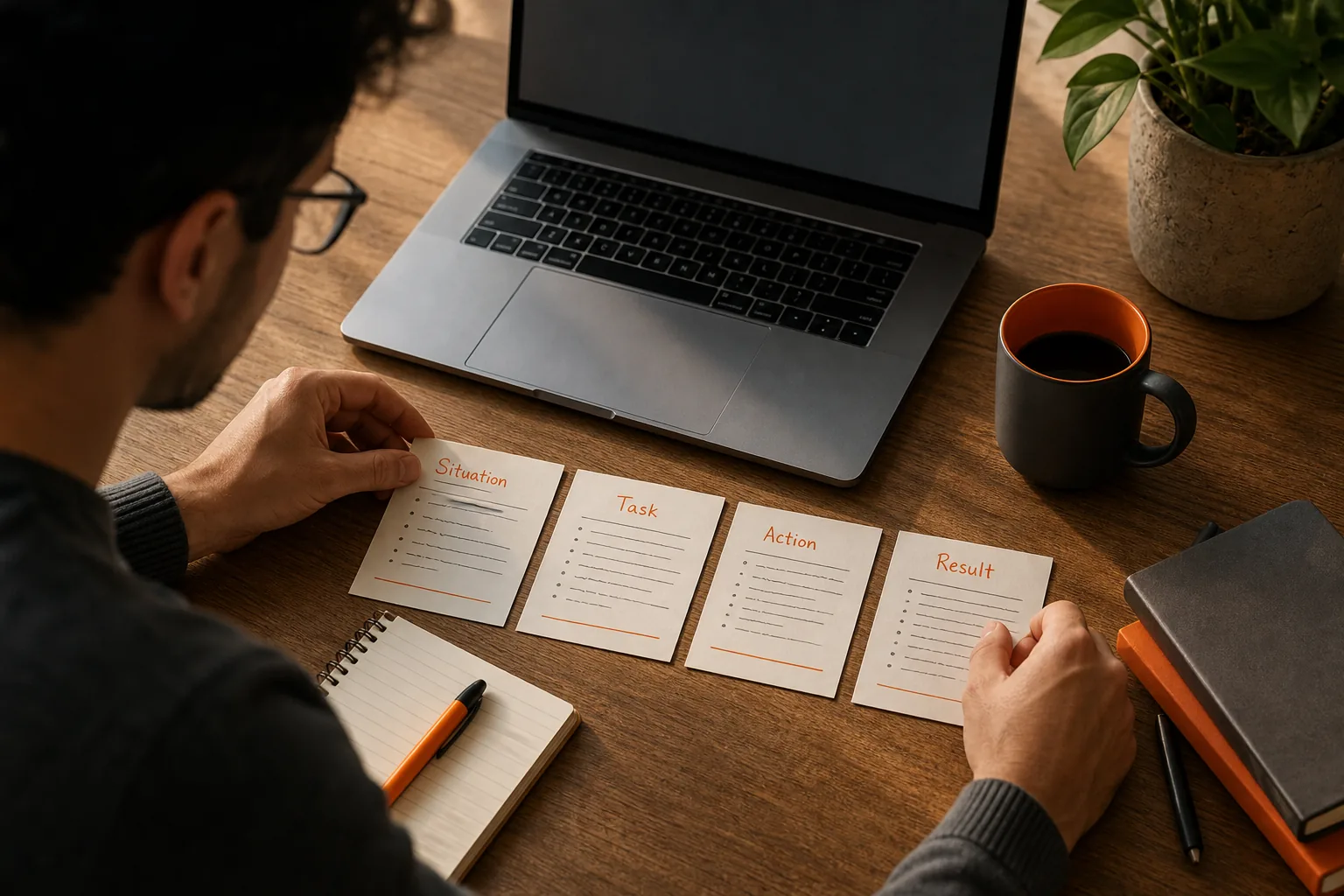
A fuller story arc also has a turning point. The conflict is the obstacle; the climax is the decision or action that shifts the situation; the resolution is what happened next. Use those beats to keep the story moving, but don’t add drama that wasn’t there.
AI summaries or keyword tools may help you spot repeated themes, such as ownership or conflict. Treat their output as a set of search clues. Compare each suggested detail with your transcript and audio before you use it.
By now you should have a short draft with a clear setup, your task, the actions you took, and an honest result. If a sentence doesn’t support one of those beats, set it aside.
Step 4: Edit for Clarity, Specificity, and Impact
Now turn the selected excerpts into an answer that sounds like you speaking. The transcript helps you check what you said; it shouldn’t dictate every word in the final story.
Remove repeated setup and filler that doesn’t change the meaning. Keep the reasoning between steps. “I changed the retry logic” is hard to judge on its own. A stronger account explains what signal led you to that change and how you checked it afterward.
Replace broad claims with details you can stand behind. Instead of “I improved reliability,” explain what you changed and what evidence you used to assess the result. If you can’t verify a measure, leave it out. Clear limits sound more credible than a polished but shaky claim.
Check how often you say “we” and “I.” Give the team credit for shared work, then make your own contribution plain. You can describe the team’s work, then state your own contribution accurately. That distinction helps an interviewer see your role without claiming work you didn’t do.
Stories are shaped by what you leave in and what you leave out. Review your account from a teammate’s perspective, then check that the facts still hold.
Also remove private details that don’t belong in an interview answer, such as customer data or internal project names. Keep the technical lesson while making sensitive information harder to identify.
Read the edited story once without looking at the transcript. If you can’t explain a step naturally, revise it rather than memorizing a line. The goal is a truthful answer that stays clear when the interviewer asks a follow-up.
Step 5: Rehearse the Story and Refine Your Delivery
Practice aloud with the transcript closed. A story that reads well on a screen can still feel too long or vague when spoken.
Give yourself a clear beginning: state the situation and your task without a long lead-in. Then explain the actions in order. End with the result and one lesson only if it adds useful context. Record a practice run and compare it with your edited transcript afterward.
Check three things during review. Did you make your own role clear? Did you explain why you chose that action? Did the result follow from the actions you described? If one answer is no, mark the missing beat and try again.
Use timestamps to revisit a section where your delivery became hard to follow. Listen for a sudden jump in pace or a pause before a key decision. Notes about timing and filler words can guide practice, but don’t treat them as a score of your ability.
Try a follow-up question after each run: “What would you do differently?” or “How did you know that fix worked?” Answer from the facts in your story. This helps you prepare for a conversation rather than a speech.
Phantom Code AI can support mock interview practice for engineers preparing for behavioral, coding, or system design rounds. Use it to practice explaining your own decisions, then check the transcript for places where your answer drifts from the story you meant to tell.
If you want a repeatable drill, STAR story rehearsal with automatic prompts can help you practice responding to varied questions. Change the prompt between attempts so you learn the story’s key beats rather than memorizing one answer.
By now you should have a story you can tell without reading, plus a short note about what to sharpen next. Keep the notes as cues, not a script.
Frequently Asked Questions
Can I use live captions to prepare a behavioral interview answer?
Yes, live captions can capture a practice answer so you can review the words afterward. Check the session rules before recording, especially if another person is involved. Captions can mishear names or technical terms, so confirm important details against the audio. Use the text to find story beats, then practice speaking without reading it.
How do I turn a transcript into a STAR answer?
Pull a short excerpt for each STAR part: the situation, your task, the actions you took, and the result. Keep only the context needed to understand your decisions. Check claims against the recording or your own notes. Then retell the answer in your own words and make sure your role is distinct from the team’s work.
Should I remove filler words from my interview transcript?
Remove filler from the draft when it makes the story harder to follow, but keep the original transcript for reference. Don’t cut a pause or repeated phrase if it changes the meaning or hides how you reached a decision. The goal is a clear spoken answer, not a transcript that looks perfect on the page.
How long should a behavioral interview story be?
Make the answer long enough to explain the challenge, your role, your actions, and the outcome, but cut background that doesn’t help the interviewer follow it. Practice aloud and notice where you repeat yourself. Leave room for follow-up questions instead of trying to answer every possible question in one speech.
Conclusion
Use the transcript to recover details and check your facts, then rehearse the story without reading it. Start with one mock interview answer today: mark its STAR beats, verify the result, and record a second version in your own words.